Video Interview Tips: Ace Your Next Virtual Interview
The world of job hunting keeps evolving, and video interviews have quickly moved from being an occasional backup to a common way employers connect with candidates. So whether you're interviewing for your first job out of college or making a big career change, mastering the art of the video interview is important.
The following is a guide of straightforward video interview tips where we’ll break down the different types of video interviews and share practical tips on how to deal with every stage of the interview process.
Looking for tips for video interviews? Keep reading!
Types of Video Interviews
Not all video interviews are created equal. Understanding which format you're dealing with can help you prepare more effectively.
1. Live Video Interviews
This type of video interview is the closest you’ll get to a traditional face-to-face interview, it’s just done over a platform like Zoom, Microsoft Teams, or Google Meet. You’ll meet with your interviewer in real time, answer their questions, and have a chance to ask some of your own.
Best approach:
2. Pre-Recorded (One-Way) Video Interviews
In a pre-recorded or one-way video interview, you’ll be given a list of questions. Sometimes you’ll get them all at once, or you might get them one at a time, but either way, you’ll record your responses. Then the interviewer will review your answers at a later time or date.
Best approach:
One last thought on pre-recorded video tips. Think of them this way. No matter how uncomfortable you may feel doing this, you are in complete control. Since it’s not real-time, there’s much less pressure. And if you’re fortunate enough to be using a platform that allows for retakes, you can re-record something if you've stumbled.
3. Group or Panel Video Interview
In this type of video interview, you’ll face several interviewers at once, and there may be other candidates joining in too. These are usually live and can feel pretty intense, but they’re also a great way for employers to see how you interact as a group.
Best approach:
Before the Interview: How to Get Ready

Preparation is just as important for video interviews as it is for in-person ones, maybe even more so. Here are some video interview tips to help you set yourself up for success.
Test your Tech
- Internet connection: Make sure you’re on a stable network. If possible, connect using a wired connection instead of Wi-Fi.
- Camera and microphone: Check that your webcam and mic are working. Use headphones to cut down on echo and background noise. Do a test run with your camera to see what’s visible in the background and remove anything that might not make the kind of impression you’re aiming for.
- Software: Download and test whatever interview platform you’ll be using, whether Zoom, Teams, Meet, or something else. Doing this ahead of time means you know how to use features like mute/unmute, video on/off, and screen share if necessary. Again, you’re not making a good impression if you’re asked to share something and you don’t know how.
Choose the Right Environment
- Find a quiet, well-lit space where you won’t be interrupted or distracted.
- Face a window or use a lamp so your face is clearly visible, and avoid bright lights or windows directly overhead or behind you.
- This was touched on above but can’t be overstated. Keep your background simple and professional. A tidy room or bare wall works great, but you might also have the option of finding an appropriate virtual background. Go for something subtle if you choose this route.
Dress for Success
Just because you’re at home doesn’t mean you should dress down! Wear the same thing you would have picked for an in-person interview.
Tip: We have more info on what to wear to an interview.
Want a video interview tip that has more to do with the tech than your interview? Always go for solid colors when dressing for a video interview since they look great on camera. Some patterns look terrible on camera and can be distracting or blinding.
Prepare Your Materials
- Make sure you have your resume and cover letter handy, plus any notes or questions you want to address or ask.
- Do you get dry mouth when you’re nervous? Keep a glass of water nearby—but not close enough to knock over!
- Silence your phone and other devices.
Tips for a Video Interview: During the Conversation
Want to give your video interview your best shot? Pay attention to the following tips.
Start Strong
Once your video interview begins, it's time for the show to start. But you’re prepared, so you can relax a bit. First, start by logging in a few minutes early. This will give you time to get yourself settled and a little more calm. It also gives you time to deal with any last-minute technical blips. You know, the kind that usually happen at the worst time.
When the time comes, greet your interviewer with a genuine smile and use their name. Remember, first impressions matter, even when you’re on screen.
Make Eye Contact
One of the best video interview tips is to maintain eye contact as much as possible. It may feel odd, forced, or just creepy, but looking into your webcam when you speak helps to create the sense that you’re talking directly to your interviewer. It’s a simple trick, but it can go a long way in making your conversation feel more natural and engaging on both sides.
Listen Actively
Here’s a caution. Don’t get so wrapped up in trying to keep eye contact that you forget to actively listen. Nod, smile, and use positive body language to show you're engaged, interested, and paying attention.
Speak Clearly and Take Your Time
When it's your turn to talk, speak clearly and at a steady pace. Video interviews sometimes introduce a slight delay, so it's perfectly fine to pause and collect your thoughts before you answer a question. That will give you a moment to organize your response, but it also prevents you and your interviewer from inadvertently talking over each other.
You might think some of these tips for a video interview seem like silly little things, but these little adjustments can help make your responses feel more confident and thoughtful. And that might be the kind of thing interviewers are looking for in a virtual setting.
Handle Technical Glitches Gracefully
They happen, and they happen to everybody. So if something goes wrong, whether it’s your internet cutting out, the audio dropping, or your screen freezing, don’t panic. Apologize, explain, and try to fix the issue as quickly as possible. And make sure you ask your interviewer to repeat anything you might have missed.
Pre-Recorded Video Interview Tips
One-way, pre-recorded interviews are becoming common, especially if you’re in an early screening round. Check out these one-way video interview tips:
- Practice makes perfect: Most platforms will offer a trial run, so use it if you’re not familiar with it already. Practice your answers, check your posture and lighting, and see how you look on camera.
- Stay on topic and within time limits: You'll usually get a set amount of time per question, often 60 to 90 seconds. Plan your answers so you hit the highlights without rambling.
- Don't read off a script: It's tempting to write out what you want to say, but don't. Reading something out just makes you sound stiff, so instead, jot down bullet points to help keep you on track.
- Show your personality: Even though you're not interacting with a live person, make sure you let your enthusiasm and personality show through. Smile, use expressive language, and imagine that you're talking to a real person.
Common Video Interview Questions
While every company and interviewer will be different, there are some questions that will show up again and again, especially in video interviews. Here are a few to expect, plus some quick pointers:
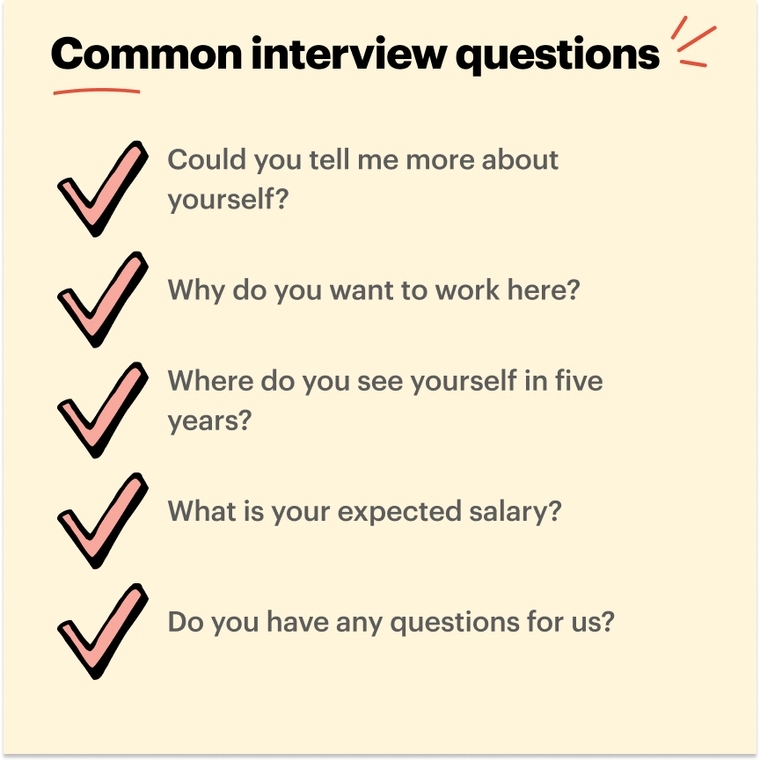
1. Tell me about yourself.
Tip: Focus on your professional background, your key skills, and why you're excited about this role.
Example:
2. Why do you want to work here?
Tip: Show you’ve done your homework. Mention specific things about the company or team that appeal to you.
Example:
3. Describe a challenge you’ve overcome at work.
Tip: Use the STAR method (Situation, Task, Action, Result) to keep your answer structured.
Example:
4. How do you stay organized while working remotely?
Tip: Mention whatever digital tools you use, like Trello, Slack, or Google Calendar, and any routines that help you stay on top of your work.
Example:
5. Do you have any questions for us?
Tip: Always have a couple of thoughtful questions ready. They can be about the team, company culture, or even a question about what the next steps in the process are.
Example:
Would you like more insight on this? Check out these common behavioral interview questions.
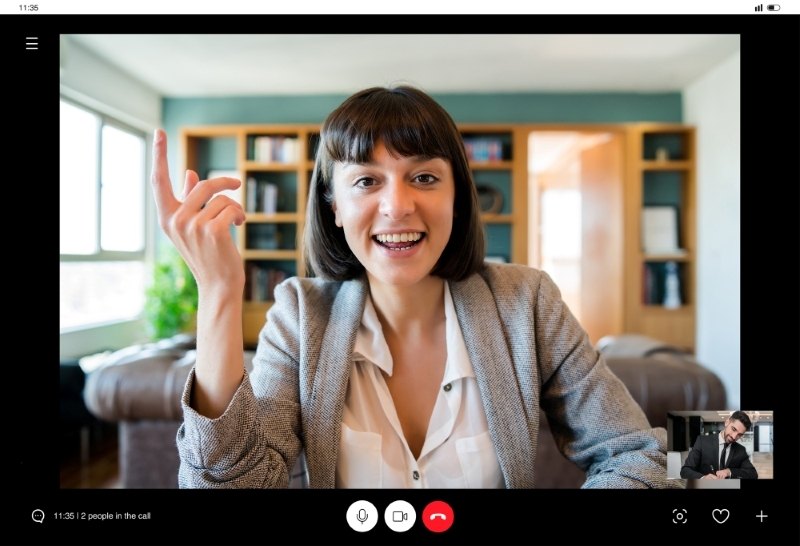
How to Ace Your Video Interview: Extra Tips for Success
- Be yourself, but be professional: Let your real personality show, but if necessary, tamp it down and keep things professional. You want to be authentic because it can make you stand out, but you don’t want to be over the top.
- Watch your body language: Sit up straight, don’t fidget, and gesture naturally. If you’re not used to seeing yourself on camera, practice in advance so you look comfortable and confident. And depending on the platform you use, you can adjust the setting so you can’t see yourself, only the person you’re talking to.
- Keep your energy up: Sometimes, and this is normal, being on video can make you feel flat. So be aware of that and smile. Try to keep your voice upbeat and show enthusiasm for the position.
- Do your best to manage your nerves: Before you start your video interview, take a few deep breaths. And remember, those jitters you’re feeling are normal. Most interviewers understand how you’re feeling—they might hate being on camera themselves! They also know that tech issues or nerves can and do happen.
After the Interview: What’s Next?
Send a Quick Thank You Note
Just after you conclude your interview, send a quick personalized email thanking your interviewer for their time. Mention something specific that you discussed and reiterate your interest in the role.
Not sure what to say? Check out these thank you email samples.
Review Your Performance
Take a few minutes to think about what went well and what you'd do differently the next time. And if you were faced with any tech issues, troubleshoot them now so that you're ready for future interviews.
If Needed, Follow Up
Only do this if you haven’t heard back within the timeframe you were given—assuming you were given one. For example, if you were told you would hear back within a week.
In that case, it’s okay to send a polite follow-up email. Restate your interest and ask about the next steps.
Key Takeaways: Video Interview Tips Recap
- Know your interview type: Live, one-way, or group-based, each type needs a slightly different approach.
- Prep your space and tech: A clean, quiet spot and a quick tech check will make a huge difference.
- Practice, but don’t memorize: Be familiar with your main points, but make sure you’re always conversational. That means don’t write out what you want to say and then read it, and don’t memorize.
- Be engaging on camera: Make eye contact, listen actively, and use body language.
- Follow up: A quick thank-you email after your video interview is a nice touch. And if you’ve been told they will be in contact, and the given time frame has passed, you can reach out.
FAQs
How do you introduce yourself in a video interview?
Start with a friendly greeting, state your name, and briefly mention your professional background or current role. You might say something like, “Hi, I’m Jordan Smith. I’m an account manager with five years of experience in digital marketing, and I’m excited to chat with you today about this opportunity.”
Is it okay to have notes in a video interview?
Yes, it’s actually a good idea. A few notes or bullet points can help keep you on track. Just avoid reading them directly, and use them as nothing more than reminders.
What to say in a 2-minute video interview?
Focus on what’s essential. Your name, a quick summary of your relevant skills or experience, and why you’re interested in the job or company. Be clear, confident—or at least try to appear confident—and be enthusiastic.
Should I smile during a video interview?
Absolutely! A smile makes you appear approachable and engaged. It can also help you feel a bit more relaxed while on camera.
Are video interviews worth doing?
Yes. Video interviews are often the first step to landing a job. They give you a chance to showcase your personality and skills, and they’re now often a part of the modern hiring process.