How to Write a Student CV (with Examples and Tips)
The job market is challenging, more so than ever, meaning you need the perfect student CV, one that stands out. Easy to say, but maybe not so easy to do. The following guide will cover everything you need to know, from creating a resume when you have no experience, how to deal with ATS, how to address your skill section, and more. Plus examples for those who prefer visuals.
What is a Student CV?
A student CV is your personal marketing document. It’s your chance to introduce yourself to employers when you’re just starting out and may not have much—if any at all—formal work experience.
How Does a Student CV Differ From a Professional CV?
Essentially, a student CV—or resume—does not differ from a professional one that much. The big difference, generally speaking, is that you won't have as much experience as someone who has been in the labour market for years and years. Little work experience is usually a drawback, but employers understand that students are unlikely to have all the skills they require—unless you are talking about mature students who have gone back to education mid-career, that is.
In the end, a student's CV will need to make more of the positive attributes of the individual concerned rather than highlighting the relevant work experience.
Student CV Examples
University Graduate Applying for an HR Role
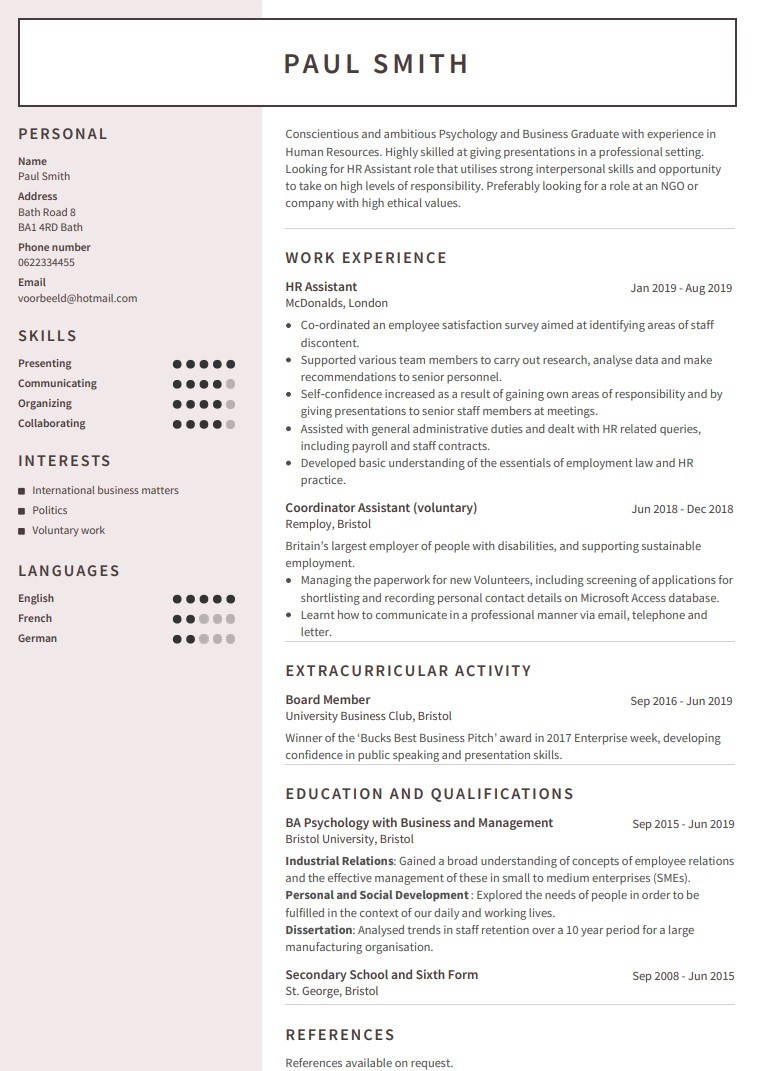
Download this cv example - university graduate looking for HR role
Student with No Work Experience
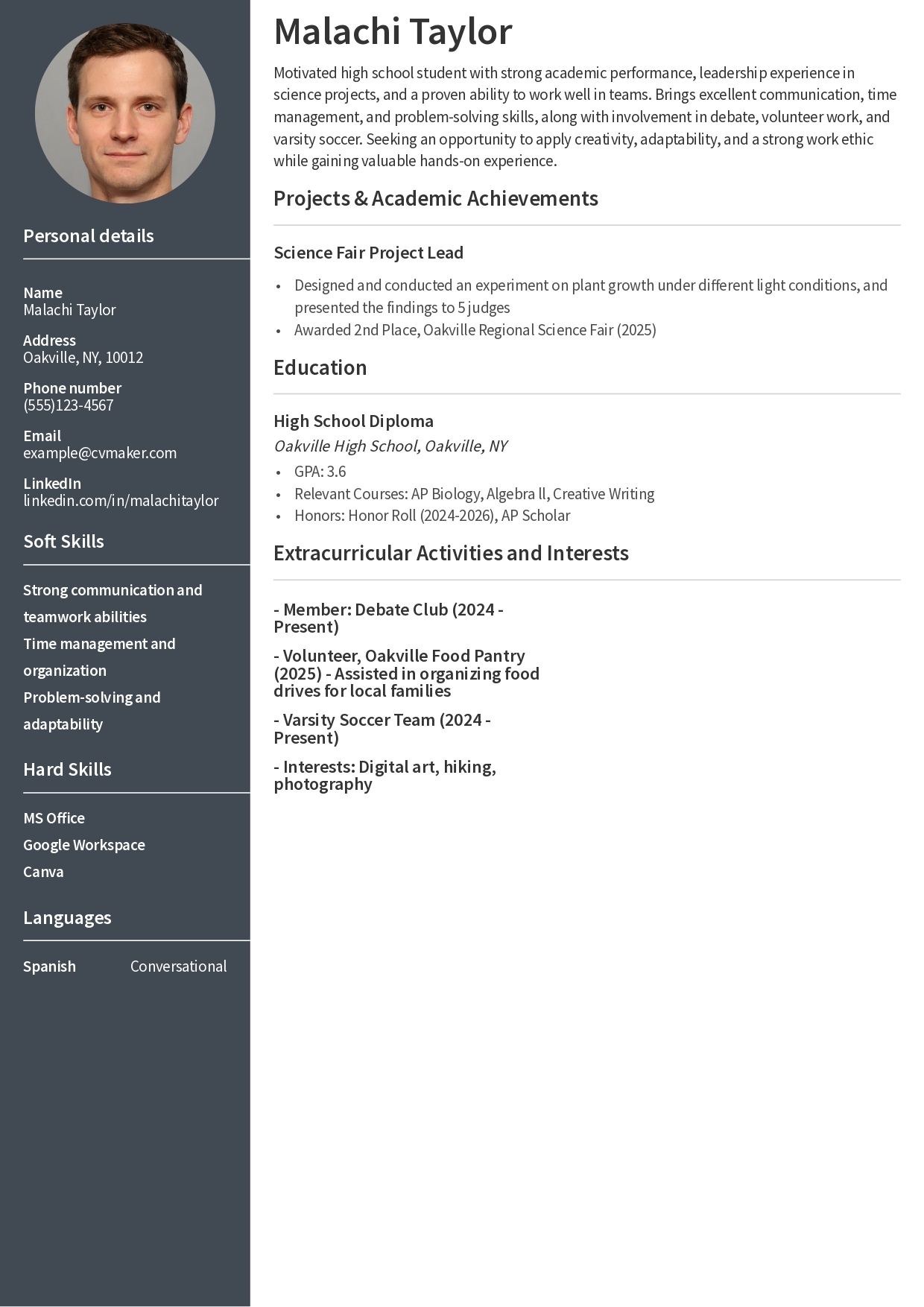
Download this cv example- student with no work experience
What to Include on a Student CV?
First up, let me mention a shortcut. If all of this seems like too much work for you, CVMaker is a great alternative. You can choose from a number of templates that will guide you through the process instead of starting something from scratch. So check that out if it sounds tempting.
Contact Details and Personal Profile
Begin your resume with your name and contact details, and then move on to your personal profile, education, and any work experience you have. Use a mix of complete sentences and bullet points. If you’re studying for a Master's degree, include that information first, including the school. And then work down through your A-level results, GCSEs and so on.
Your student resume should include at least the following personal information:
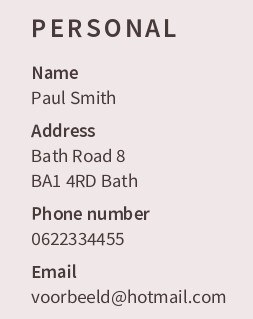
Personal / Contact Details:
- Full name
- City and state or province
- Phone number, preferably a cell number
- Professional email address
- Up to date LinkedIn profile, if relevant
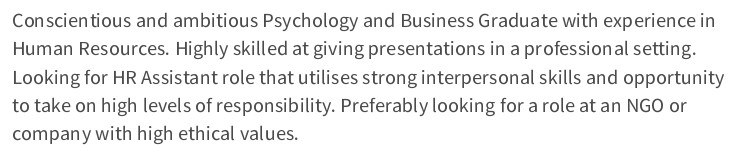
Personal profile:
- Include a short introduction of about two to three sentences explaining who you are and what your skills are. Indicate the kind of work you’re currently looking for, and any long ambitions.
Pro tip:
Education Section
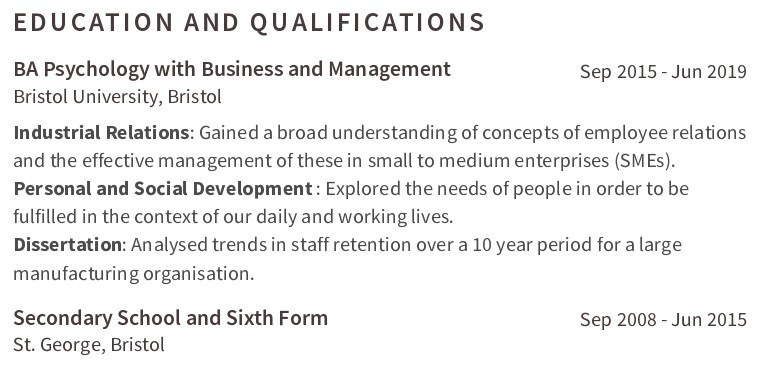
List your education in reverse-chronological order, starting with your most recent. Only include degrees or courses that are tailored to the job you’re applying for. The same goes for skills you’ve learned along the way, projects you’ve been a part of or led, plus any achievements.
Pro tip:
Work Experience (Including Part-Time & Volunteer Work)
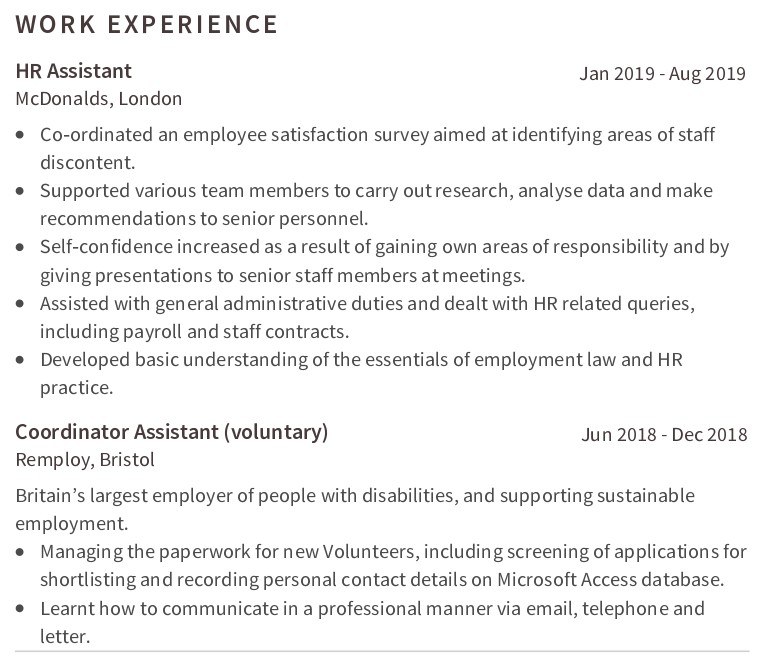
Describe any jobs or work experience you have. It doesn’t matter if it’s part-time, or if it’s something like babysitting. If it’s relevant to the job you’re applying for, add it. Briefly explain the tasks you performed, your responsibilities, and any achievements.
Pro tip:
What Skills Should You Put on a Student CV?
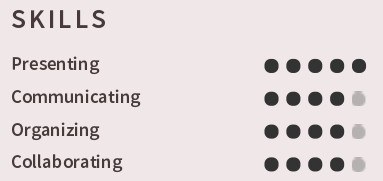
Employers often look at the skills section first, so make it easy for them to find and quickly scan. Focus on a mix of hard skills like software tools or research methods and soft skills like teamwork or time management. Be sure to use skills that match the job description—you want them to be relevant.
Example
Hard Skills
- Microsoft Office (Word, Excel, PowerPoint)
- Data analysis
- Social media management
- Foreign languages
- Lab techniques
Soft Skills
- Communication
- Organization
- Teamwork
- Problem-solving
- Adaptability
- Time management
Placement tip:
How to Stand Out
Always tailor your list of skills to match the keywords used in the job description. This can help your resume get past ATS systems and get noticed by hiring managers.
Extracurricular Activities and Interests
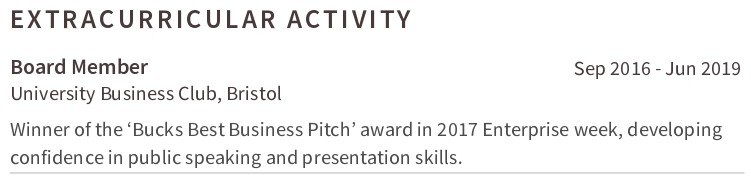
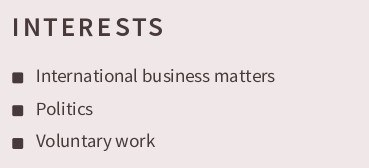
Share activities, clubs, sports, or hobbies that show your involvement in things outside of academics or work. Focus on experiences that show your leadership abilities, teamwork, or commitment. If you have any unique skills that could set you apart from other candidates, include them. But only if it makes sense to include them.
Pro tip:
How to Write a Student CV With No Experience
As you can see from the example above, when you don’t have any work experience, your student CV should highlight your education, academic projects, extracurricular activities, and transferable skills. Here’s how each section in the example above achieves that.
Use Academic Projects and Coursework
Lead with your education and any advanced or relevant classes, like the AP Biology and Algebra ll used in the example.
Why:
- The example showed what the applicant was learning—or had learned—and what their strengths were.
- Listing relevant coursework showed Malachi was prepared for a role that would value his analytical, scientific, or mathematical skills.
- The listed academic projects also provided a chance to showcase initiative, problem-solving, and presentation skills, skills a prospective employer may be interested in.
Pro tip:
Highlight Extracurricular Activities
Include clubs, sports, volunteering, and other school activities.
Why:
- Extracurriculars show you’re involved, responsible, and can work as part of a team.
- Leadership roles, teamwork, or community service show your responsibility and skills that you might use on the job.
- Even if it’s not directly related to the job, an extracurricular activity often shows that you’re active and well-rounded.
Pro tip:
Showcase Transferable Skills
List skills that can apply to any job. For soft skills, that would include things like communication, organization, problem-solving, and time management. Transferable hard or technical skills might be a bit more challenging, but still doable. Consider software like MS Office or Google Workspace, languages, or anything else that could be used regardless of the job.
Why:
- Employers want to know you can learn, adapt, and bring some value to a team, even if you haven’t ever had a job before.
- Transferable skills give you credibility and show that you’re ready to handle basic workplace tasks.
Pro tip:
How to Make Your Student CV Stand Out
Thousands of students, just like you, graduate each year. What can you do so that your resume doesn’t get lost in a sea of them? Especially when you might be competing with experienced applicants as well. The good news is that the right student CV can help you get noticed, even if this is your first job.
Tailor Your CV to Each Job Application
A generic CV will be easy to overlook, so make each application count by tailoring your CV to the job you want. This is how:
- Scan the job description: Identify the key skills or experiences that are most mentioned or highlighted
- Adjust your CV: Move your most relevant courses, skills, or activities to the top of their sections so they’re easy to spot.
- Tweak your profile to match the employer’s priorities
Even small changes—like emphasizing your science projects for a research assistant role or your teamwork for a camp counselor job—can give you an edge.
Use Strong Action Verbs and Quantify Achievements
Employers don’t just want to know what you did; they also want to know how you did it. Make each of your experiences or achievements pop by starting each point with a strong verb, and then back your statement up with your results.
- Strong verb suggestions: Led, organized, presented, created, improved, etc.
- Quantify where possible: Organized a biology club event attended by 40 students; Raised $300 for local charities through school activities
Using this approach provides a clear picture of your contributions and shows you can make a real difference.
Keep Formatting Clean and Professional
Your formatting matters, but you need to keep it simple.
Your CV should look clean and organized, so employers can quickly find the information they need. Make sure you prioritize clarity, as it’s much more important than showing off your creativity. It’s your experience that should shine, not a flashy design. Stick with classic layout choices and stick to a single page.
We have an entire section on formatting and length below, so check that out.
ATS and Student CVs: What You Need to Know
When you’re applying for entry-level jobs, internships, or maybe even a competitive campus program, there’s a good chance your resume won’t be seen by human eyes first. Instead, it will probably be scanned by something called an applicant tracking system (ATS), which is essentially a bot. Understanding how it works—and how to optimize your student resume for it—can make the difference between your resume getting noticed and ending up in the equivalent of an ATS trash can.
What is ATS, and Why Does it Matter?
ATS is used by many employers and all online job boards to handle the never-ending flood of applications they receive. The system scans and sorts resumes, searching for specific keywords and section headings before deciding whether your application gets forwarded to a human hiring manager.
Why You Should Care
- Many, if not most, entry-level jobs and internships use ATS to filter applications
- As a student, you may be competing against hundreds of others for the same role
- If your CV isn’t ATS-friendly, there’s a good chance a hiring manager will never see your resume, even if you’re a perfect fit for the job.
How to Make Your Student CV ATS-Ready
While all that might sound alarming, the good news is that getting through the ATS is easier than you think. Just follow these simple strategies:
- Use standard section headings. Never use creative or unusual headings, stick to what’s been time-tested:
- Education
- Skills
- Experience
- Awards
- Avoid tables, graphics, and text boxes. These don’t belong anywhere on your resume, since ATS often can read them, so important information could be lost.
- Naturally include keywords. You’ll find your keywords in the job posting. You’ll have to figure out what words to use, since they obviously won’t be labeled, but if the post mentions things like, for example, data analysis or project coordination, and these are skills you have, make sure they’re in your skills or experience sections.
- Save your file as a PDF or .docx format, unless the job post specifies something else. These are the safest options for ATS compatibility.
Student CV Format and Length
The appearance of your student CV matters almost as much as the content. Make it as easy as possible for employers to read it at a glance:
- Use simple, professional fonts such as Arial, Calibri, Garamond, or Georgia
- Bold all of your section headings so they stand out
- Use clear bullet points to organize your achievements and skills
- Keep your student resume to one page, focusing on your most relevant experiences
- Leave enough white space so your resume doesn't look like a wall of text
- Keep your resume/CV to a single page and adjust your margins as necessary
Avoid using graphics or getting fancy with fonts or colors. While ATS can scan colored fonts, it will strip out graphics, leaving a blank spot in your resume.
Common Student CV Mistakes to Avoid
Here’s a heads-up to save you from making the mistakes others have made. Knowledge is power, right?
Tips to Keep in Mind
- Use Action Verbs: Begin bullet points with strong action verbs like developed, organized, or led. That’s a great way to highlight your contributions and achievements.
- Quantify Achievements: Whenever possible, use numbers or data to show the kind of impact you’ve made. Say things like increased club membership by 30% or managed a budget of $500 for a university project.
- Tailor Your CV: Always customize your CV to match each job you’re applying for, even if it’s within the same industry. Highlight your experiences and skills that are most relevant to the position.
- Keep it Concise: Your student resume should be limited to a single page. Since you need to keep it short, focus on the most valuable and relevant information you have to share.
- Highlight Your Transferable Skills: Emphasize skills from any part-time jobs, internships, or volunteer work that will apply across jobs. Examples of transferable skills include teamwork, communication, and problem-solving.
- Include a Brief, Targeted Profile: Write a short profile or summary at the top that clearly states who you are and what you have to offer to an employer.
- Proofread—and Then Proofread Again: Carefully check for typos, spelling, and grammatical errors. Even though you should proofread at least twice, it’s a better idea to ask someone else to do it the second time, because they will catch things you’ll miss. Or use software like Grammarly or ProWritingAid.
- Use a Professional Format: Stick to a format with clear headings, a consistent font, and clean layout to ensure your CV is easy to read. If you’re not sure what type of format to use, check the selection of professional CV templates available at CVMaker.
Mistakes to Avoid
Even a strong candidate can decrease their chances of getting hired due to errors in the CV. So make note of the following issues to avoid and ensure your resume is taken seriously.
- Never Use Casual Language or Slang: Always keep your tone formal and professional, even if it seems that the company has a relaxed culture. You’re not talking to your friends, you’re talking to a potential employer.
- Don’t be Vague or Generic: Using an objective statement that doesn’t present any facts is far less useful than a targeted summary.
- Skip any Irrelevant Information: If you’re in North America, do not add your age, marital status, or a photo.
- This is Not the Place to Use an Unprofessional Email Address: Your email address is one of the first chances you have to make an impression, so don’t make it a bad one. Use a simple address based on your name.
- Don’t Duplicate Information: If you’re supplying an application and cover letter, do repeat yourself in your resume. This is the place where you add value.
- Watch for Inconsistent Formatting: Mismatched fonts or uneven bullet points can distract from your message.
- Avoid Walls of Text: You don’t want to overcrowd your resume, but you don’t want it looking sparse either. Aim for a balanced, organized look.
- Don’t Forget or Omit Small Jobs or Volunteer Roles: They may seem unimportant to you, but they can demonstrate important skills and your work ethic. Just remember to keep it relevant and keep your CV to a single page.
FAQS
How long should a student CV be?
It’s best if you keep your resume to one page, especially if you don’t have a lot of work experience. Only spill over to a second page if you have relevant internships, volunteer work, or academic projects.
What do you put on a student CV if you have no experience?
Focus on your education, academic projects, extracurricular activities, volunteer work, and transferable skills. Otherwise, don’t worry about it too much, since employers hiring students aren’t looking for limited work history.
Should a student CV include a personal statement?
Yes. Make it two or three sentences and put it at the top of your resume. This helps recruiters quickly understand who you are, what you’re studying, and what you’re looking for.
What skills should I put on a student CV?
Always include a mix of hard and soft skills. Hard skills include things like data analysis, a second language, or your proficiency with different software or platforms. Soft skills include communication, teamwork, time management, and more. Always tailor your skills to the job description and always be honest about them.
Do student CVs need to be ATS-friendly?
Yes, they do. Most employers, and likely all job boards, use some sort of ATS to screen resumes. Make sure you use a clean format, standard headings, and keywords from the job posting, or your resume may never see human eyes.
Should I include my GPA or grades on a student CV?
Maybe. The standard rule is only if your average is about 3.5, so if you’re not in that range, don’t bother, since it might work against you. Instead, you can focus on your most relevant modules or courses without mentioning the results.